
• NEWS AND UPDATES

    The latest updates regarding our products and our company

What Is the Best Laboratory Software in 2026?

What is the best laboratory software in 2026? The answer depends on how a laboratory works, what it needs to track, and which systems it already uses. A university research lab may prioritize sample management and flexible workflows. A quality-control team may need reliable instrument connections, clear audit trails, and consistent reporting. There is no universal winner. It depends.

Good laboratory software should make routine work easier without hiding important details. During a product evaluation, teams can test a real workflow: register a sample, assign a test, review a result, and find its history. Notice how many clicks each step takes. Check whether the system connects with existing instruments and whether staff can retrieve records without relying on one administrator. Small details matter. A polished demo may not show the awkward parts.

This guide compares software options using practical criteria, including usability, configuration, integrations, security features, support, and total ownership costs. It also considers how well products may fit laboratories of different sizes and specialties. Vendor claims deserve careful review; request a demonstration with realistic scenarios and clarify what is included in the quoted price. A feature list alone is not proof of a good fit. No comparison can replace a laboratory’s own requirements, and some trade-offs are easy to miss until daily use begins. The aim is a grounded shortlist, not a perfect answer.
What Is the Best Laboratory Software in 2026?

What Is Laboratory Software and What Work Does It Support?

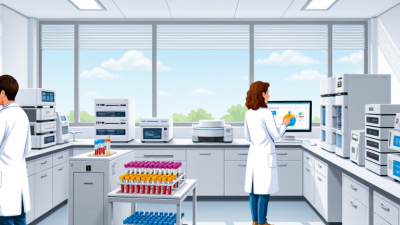
Laboratory software is the digital framework that helps a lab manage samples, experiments, instruments, and results. It can include electronic lab notebooks, sample-tracking systems, inventory tools, and software that connects instruments to shared records. Together, these tools create a traceable account of work: who handled a sample, which method was used, and when a result was recorded.

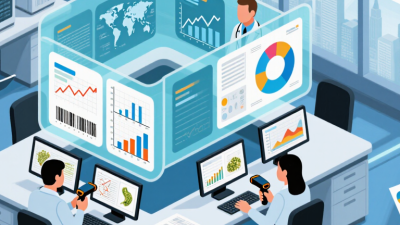
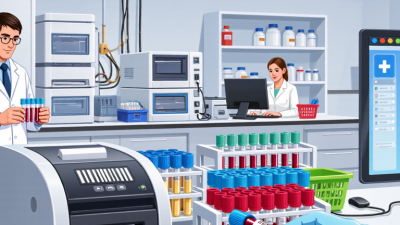
A technician scanning a tube barcode, for example, can link that sample to its storage location and test history.

Small details matter.

The software supports daily work as well as oversight. Teams use it to plan experiments, track reagents, review quality-control checks, flag missing data, and prepare records for audits. Nature’s 2016 reproducibility survey, which gathered responses from 1,576 researchers, found that more than 70% had failed to reproduce another researcher’s experiment, while more than half had struggled to reproduce their own. Those figures do not prove that software prevents irreproducible results. They do show why clear records and repeatable workflows matter. Software helps, but it cannot fix a poorly designed experiment or a rushed handoff. And implementation can be messy: a system that adds clicks without fitting bench work may simply produce better-looking paperwork.

Which Types of Laboratory Software Are Used in 2026?

In 2026, laboratories use several types of software, often connected rather than replaced by one “best” system. A laboratory information management system (LIMS) tracks samples, workflows, results, and chain-of-custody details. Electronic lab notebooks (ELNs) capture methods, observations, calculations, and experimental context. They help teams understand why a result changed, not just what changed.

Tips: Map one real workflow before choosing software. Follow a sample from receipt to report, including exceptions and repeat tests. Ask staff to try the screens they will use daily. A polished demo can hide awkward data entry.

Other systems serve narrower needs. Scientific data management systems organize files from instruments and imaging tools. Chromatography data systems control specific analytical instruments and process their output. Quality management software handles deviations, training records, and controlled procedures; inventory tools monitor reagents, locations, and expiry dates. Scheduling and analytics applications can ease instrument bottlenecks and reveal turnaround trends. These categories overlap, and smaller labs may combine functions in one platform. One size rarely fits. Integration deserves close attention: mismatched sample IDs or units can quietly distort reports. No software fixes unclear procedures by itself. Review access controls, audit trails, backups, export options, and validation evidence against the lab’s actual risks. Even a capable system can frustrate users when setup ignores bench habits.

What Is the Best Laboratory Software in 2026? - Which Types of Laboratory Software Are Used in 2026?

There is no single best laboratory software for every organization. The right choice depends on laboratory workflows, regulatory requirements, instruments, data needs, and existing systems.

Software type Primary purpose Common capabilities Typical users and best fit Key selection consideration
Laboratory Information Management System (LIMS) Manage samples, tests, results, and laboratory workflows. Sample registration, barcode tracking, test assignment, workflow status, result recording, and reporting. Testing, environmental, clinical, food, and manufacturing laboratories with repeatable sample-based processes. Check that sample types, workflow rules, reporting, and instrument connections match daily operations.
Electronic Laboratory Notebook (ELN) Create, organize, search, and retain experimental records. Structured experiment entries, attachments, collaboration, search, and record version history. Research and development teams that need flexible experiment documentation and shared records. Assess template flexibility, searchability, collaboration, and record-retention requirements.
Laboratory Execution System (LES) Guide analysts through standardized laboratory procedures. Step-by-step instructions, required data entry, procedural checks, and execution records. Laboratories seeking consistent execution of routine or controlled procedures. Confirm that procedures can be maintained easily and that the system supports the required level of guidance.
Chromatography Data System (CDS) Acquire, process, review, and report chromatography data. Instrument data acquisition, chromatogram processing, sequence management, review, and reporting. Analytical laboratories using chromatography techniques such as liquid or gas chromatography. Verify compatibility with instrument models, methods, data formats, and review workflows.
Scientific Data Management System (SDMS) Collect, organize, store, and retrieve scientific data and files. Centralized file storage, metadata indexing, search, data exchange, and retention workflows. Organizations managing data from multiple instruments, applications, or laboratory sites. Review supported file formats, metadata needs, integrations, and long-term access requirements.
Quality Management System (QMS) Manage quality processes and controlled documentation. Document control, training records, nonconformance tracking, corrective and preventive actions, and change control. Laboratories that need coordinated quality processes and traceable follow-up of issues and changes. Check workflow configuration, approval steps, reporting, and alignment with applicable quality procedures.
Laboratory Inventory Management Software Track laboratory supplies, reagents, and other materials. Stock levels, locations, lot numbers, expiry dates, reorder points, and usage records. Laboratories that need better visibility into consumables, storage locations, or material availability. Evaluate barcode support, purchasing workflows, location tracking, and integration with sample processes.

Practical approach: Define essential workflows first, then compare usability, integration requirements, data migration, access controls, audit-trail needs, reporting, support, and total cost. A laboratory may use several complementary software types rather than one system for every task.

What Core Capabilities Distinguish Laboratory Software Platforms?

A laboratory software platform should connect the workbench to the final report. Core capabilities include sample tracking, electronic notebooks, instrument-data capture, version control, and searchable records. Each sample should keep a clear identity as it moves between staff, instruments, and storage. Audit trails and role-based permissions help show who changed a record and when.

These features matter because documentation gaps can weaken confidence in results. In a 2016 Nature survey of 1,576 researchers, more than 70% reported failing to reproduce another researcher’s experiments, while over half struggled to reproduce their own. That finding does not prove software can solve reproducibility. It does underline the value of consistent records. The National Academies’ 2019 report on reproducibility likewise emphasizes transparent methods and accessible research materials.

Check how a platform handles real workflows, not just feature lists. Can it import instrument data without manual retyping? Can staff find a sample’s full history in seconds? Small details count. Test permissions, backups, data exports, and integrations with existing instruments. Track practical measures during a pilot, such as missing fields and time from sample receipt to report. A highly configurable system may still frustrate staff if routine tasks take too many clicks. That trade-off deserves scrutiny.

How Should Laboratories Evaluate Software Options?

How should laboratories evaluate software options? Start with the workbench, not the feature list. Map a sample’s path from receipt to result, including handoffs, corrections, and approvals. Then test candidate systems against real tasks: Can staff trace a changed value? Can the system preserve instrument data and export records in usable formats? Ask analysts, technicians, and quality staff to complete the same scenario. Watch where they pause. A polished demo can still mislead.

Check integration, access controls, audit trails, backup and recovery, and the effort required to configure workflows. Gartner forecast worldwide IT spending at $5.06 trillion in 2024, an 8% increase over 2023; that broad market figure is not a laboratory budget, but it underscores the need to compare total costs carefully. Include migration, training, support, and future upgrades. Security deserves its own test: IBM’s 2024 Cost of a Data Breach Report put the global average breach cost at $4.88 million. Ask vendors how permissions, incident response, and recovery work in practice. Pilot the system with real samples and a defined success measure. Some friction will remain. Record it, rather than assuming staff will simply adapt.

Which Software Features Best Match Different Laboratory Needs?

The best laboratory software in 2026 depends on what a lab needs to control, document, and improve. A sample-testing facility may prioritize chain-of-custody records, instrument integrations, and clear result review. A research team may need flexible workflows, searchable notebooks, and links between samples, protocols, and data. The right fit is practical, not flashy.

For a busy testing bench, barcode tracking can reduce manual entry and help staff locate samples quickly. Audit trails, role-based permissions, and configurable approval steps support reliable records. Labs handling instruments should check whether the software captures results directly or requires file uploads. Small workflow gaps can create extra work. Details matter.

Before choosing, map one real process from sample arrival to final report. Ask staff to test common tasks, including correcting an entry and finding an older result. Check how the system handles backups, data export, training, and growth in sample volume. A long feature list can look reassuring, but usability is easy to underestimate. I would not assume every lab needs extensive customization; it may add complexity without improving daily work. A short pilot can reveal whether the software fits actual routines.