

NEWS AND UPDATES
The latest updates regarding our products and our company

What Is Laboratory Information System Software?
Laboratory work produces more than test results. Each specimen brings labels, collection details, instrument readings, quality checks, and a report that must reach the right person. Laboratory information system software helps organize this flow, connecting data and tasks from sample receipt through result reporting. In a busy lab, that may mean scanning a barcode at the intake desk, tracking a sample through testing, and reviewing flagged results before release. Small details matter.
An LIS can support test orders, specimen tracking, result entry, quality control, reporting, and connections with analyzers or other health systems. Its exact features vary by product, laboratory type, and local workflow. Some platforms also provide audit trails and permissions, helping teams see who changed a record and when. Useful, but not automatic. Staff training, careful configuration, and reliable data entry still matter; software cannot correct every process weakness.
This guide explains what laboratory information system software is, how it works, and where it fits in clinical, research, and other testing environments. It also considers common benefits, implementation questions, and practical limits. Choosing a system is not just a technical purchase. A lab should check whether it supports its methods, reporting needs, instruments, and future growth. The best fit may be less flashy than expected. It is the system that makes routine work clearer without adding avoidable friction.

Definition and Purpose of Laboratory Information System Software
What Is Laboratory Information System Software?
Definition and Purpose of Laboratory Information System Software
A laboratory information system (LIS) is software that manages information linked to laboratory samples, tests, and results. It helps staff track a specimen from registration through analysis and reporting. For example, a blood sample arrives with an identifier, test requests, and collection details. The LIS connects those records so staff can check the sample’s status without relying only on paper notes.
Its purpose is to support accurate, orderly laboratory work. An LIS can route test requests, record results, flag values that need review, and preserve an audit trail of changes. It may also connect with analyzers and other information systems, reducing repeated data entry. That matters when many samples move through a lab each day. Small transcription errors can cause delays or require extra checks.
Still, software does not replace professional judgment. Lab teams must verify procedures, access permissions, and result workflows. A system can also be poorly configured, or staff may need time to learn it. The practical value depends on how well it fits the lab’s real processes. Not a cure-all. Regular review helps teams spot gaps and keep records useful.
Core Components and Key Functions of an LIS
What Is Laboratory Information System Software?
Core Components and Key Functions of an LIS
A laboratory information system, or LIS, connects the steps that move a specimen from arrival to reported result. Its core record links patient and order details with a unique specimen identifier. At accessioning, staff can print a barcode and record the collection time, container, and requested tests. That is useful. Clear tracking helps teams see where a sample is, without relying on handwritten notes or memory.
Workflow tools route work to the right bench, display pending tests, and record each status change. Instrument interfaces can transfer measurements into the patient record, reducing manual transcription. Before release, the LIS may apply configured checks, such as reference limits, quality-control status, or a required review. Authorized staff can verify and release results, while an audit trail records who changed what and when. Errors still happen. Poorly configured rules can also slow work, so review and testing matter.
Reporting and access controls are key components, too. Role-based permissions limit who can view or edit sensitive records, while reports help supervisors spot delayed specimens, workload peaks, or recurring test issues. Connections with clinical and billing systems can prevent duplicate entry, but only when data fields and workflows align. An LIS is not a substitute for trained judgment; unusual results and exceptions still need careful review.
How an LIS Manages Laboratory Data and Workflows
A laboratory information system (LIS) connects the steps between receiving a specimen and releasing its result. Staff scan a barcode, confirm the patient and test, then track the sample as it moves through the laboratory. The LIS can route work to instruments, collect results, flag quality-control issues, and send verified findings to clinical systems. The CDC-commissioned Laboratory Medicine: A National Status Report (2008) estimated that laboratory testing informs about 70% of medical decisions. That scale makes accurate data handling more than an administrative concern.
For a technician, the workflow may look like a rack of labeled tubes, a queue on screen, and a result held for review. Rules can catch missing fields or unusual values, while audit trails record who changed or approved a result. The National Academies’ 2015 report Improving Diagnosis in Health Care estimated that about 5% of U.S. adults experience a diagnostic error in outpatient care each year. An LIS cannot prevent every error, but clear specimen tracking and timely result delivery can support safer decisions. Still, a polished dashboard may hide a confusing handoff. Local workflows need regular review.
Tips: Test barcode scanning, instrument connections, and result-routing rules with real workflow scenarios. A small mismatch can cause delays. Don’t assume automation catches every problem.
Types of Laboratory Information Systems and Deployment Models
What Is Laboratory Information System Software?
Types of Laboratory Information Systems and Deployment Models
Laboratory information systems are often grouped by the work they support: clinical diagnostics, anatomic pathology, blood banking, or research. Clinical systems manage orders, specimens, results, and instrument connections. Specialty systems add focused workflows, such as tracking tissue slides or documenting transfusion checks. That matters. A system built for routine chemistry may not suit a pathology bench without careful configuration.
Deployment models include on-premises, cloud-hosted, and hybrid systems. On-premises installations give a lab more direct control over servers and local integrations, but require in-house maintenance and upgrade planning. Cloud hosting can reduce local infrastructure needs and support access across sites.
Hybrid setups keep selected services local while moving others to hosted infrastructure. They can be flexible, not automatically simpler.
The choice should reflect instrument connectivity, downtime procedures, staffing, data migration, and recovery needs. The 2024 Cost of a Data Breach Report estimated the average healthcare breach cost at $9.77 million; it is not specific to laboratories, but it highlights the stakes of protecting sensitive records.
Ask vendors for a realistic specimen-to-result walkthrough, including a delayed instrument feed and corrected result. A polished demo can hide awkward steps. Even a well-designed system may frustrate staff if the workflow assumptions are wrong.
Benefits, Challenges, and Security Considerations of an LIS
What Is Laboratory Information System Software?
Benefits, Challenges, and Security Considerations of an LIS
A laboratory information system (LIS) manages test orders, specimens, results, and related records. It can connect instruments with staff workflows, reducing repeated data entry and helping teams track a sample from receipt to reporting. Fewer handoffs. Clearer records. But benefits depend on careful setup. A poorly matched workflow can create extra clicks, confusing alerts, or delays when staff need results quickly. Training also takes time, especially when procedures change.
Tips: Map one real specimen journey before configuring the system. Test common and unusual cases with the people who perform the work. Keep instructions close to the workstation. Small details matter.
Security needs ongoing attention, not a one-time checklist. Use role-based access so staff see only the information needed for their duties. Protect data in transit and at rest, maintain audit logs, and test backups. Plan for outages, too: staff should know how to record urgent work and reconcile it later. A strong process still has weak spots. Shared workstations, forgotten logouts, and rushed updates can expose records or interrupt reporting, so review access and recovery procedures regularly.
| Dimension | What an LIS Does | Potential Benefits | Common Challenges | Security and Risk Considerations |
|---|---|---|---|---|
| Specimen and test workflow | Tracks orders, specimen identifiers, collection details, processing steps, and test status from receipt through completion. | Improves traceability, helps staff locate specimens, and reduces manual handoffs and transcription. | Incorrect identifiers, incomplete order details, or poorly configured workflows can still cause delays and errors. | Restrict access to patient and specimen records by role; use unique user accounts and audit logs to record changes. |
| Result management | Stores, validates, and distributes laboratory results, including flags and reference intervals configured for the relevant test and population. | Supports consistent result review and timely delivery to authorized clinical users. | Incorrect reference intervals, units, mappings, or validation rules can lead to misleading result displays. | Protect results in storage and transit; verify recipient identity and maintain an audit trail for result edits and releases. |
| Instrument connectivity | Exchanges orders and results with laboratory analyzers through configured interfaces. | Can reduce manual data entry and support more efficient processing of routine tests. | Interfaces require testing and maintenance; changes to instruments, message formats, or configuration may interrupt data exchange. | Segment instrument networks where practical, restrict interface access, and monitor unexpected connections or data flows. |
| Interoperability | Shares laboratory information with other clinical systems using agreed interfaces and data standards. | Helps make results available in the broader care record and reduces duplicate entry. | Different systems may use inconsistent codes, units, patient identifiers, or message conventions. | Authenticate connected systems, protect interface traffic, and limit shared data to what is necessary for the task. |
| Quality control and workflow rules | Supports configured checks, review steps, quality-control records, and exception handling. | Promotes consistent procedures and helps staff identify results that need review before release. | Rules must be validated and maintained; overly broad or incorrect rules can create missed exceptions or unnecessary alerts. | Limit configuration privileges, review changes before deployment, and retain records of approvals and configuration updates. |
| Reporting and operational oversight | Produces operational reports, such as workload, test status, and turnaround-time summaries, depending on system configuration. | Can help laboratory teams identify bottlenecks and plan staffing or process improvements. | Reports may be incomplete or misleading if source data, definitions, or time intervals are inconsistent. | Apply access controls to reports and exports; remove or minimize patient identifiers when they are not needed. |
| Privacy and access management | Provides user accounts and permissions for accessing laboratory information and system functions. | Role-based access can help ensure users see and change only information needed for their work. | Permissions can become excessive or outdated when staff roles change or accounts are not promptly disabled. | Use unique accounts, least-privilege access, strong authentication, periodic access reviews, and prompt account deactivation. |
| Availability and downtime | Supports laboratory operations by keeping orders, specimen status, and results accessible to authorized users. | Reliable access helps maintain routine workflows and coordination with clinical teams. | Network outages, system failures, maintenance, or cyber incidents can interrupt access and delay work. | Maintain tested backups and a documented downtime and recovery plan; define secure procedures for restoring data and service. |
| Auditability and compliance | Can record access and actions such as result review, amendments, and configuration changes, depending on the system and setup. | Supports investigations, internal review, and evidence of controlled laboratory processes. | Logs may be incomplete, difficult to review, or retained for insufficient periods if not properly configured. | Protect logs from alteration, review them for unusual activity, and set retention and handling practices consistent with applicable requirements. |
| Implementation and ongoing maintenance | Requires configuration of tests, users, workflows, interfaces, and reporting to fit the laboratory’s operations. | A well-planned implementation can standardize workflows and reduce avoidable manual work. | Migration, staff training, validation, interface testing, and upgrades require time and sustained resources. | Assess vendor and service-provider access, apply security updates through controlled processes, and validate changes before production use. |
LIS capabilities vary by system, configuration, laboratory workflow, and applicable regulatory requirements.
Related Posts
-
2026 Best Laboratory Information System for Global Buyers
-

Top Laboratory Information System Software for Global Buyers
-

China Top Laboratory Software Manufacturers Suppliers?
-
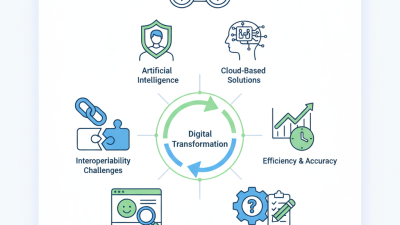
2026 Top Laboratory Information System Innovations and Trends?
-

2026 How to Choose the Best Medical Laboratory Software for Your Needs?
-

Top 10 Laboratory Information System Features You Need to Know?
Schedule
Monday to Thursday:
8:15 – 17:00
Friday:
8:00-15:00
Address
Leonardo Da Vinci, 10
Valencia Technology Park
46980 Paterna, Valencia, SPAIN
Real Laboratory SL
info@site_e1c8a3bd-d539-4d7f-8695-37f21373de39
Teléfono: +34 96 136 61 07